



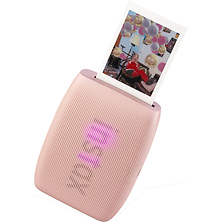

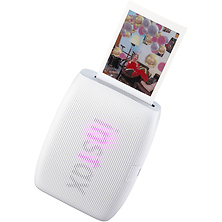
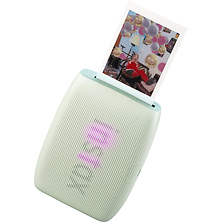
Fujifilm INSTAX Smartphone Printers for Instant Photo Printing
Fujifilm INSTAX printers connect to your smartphone via Bluetooth and produce instant prints from your camera roll, social media, or video frames. Whether you want credit card-sized mini prints, square format images, or wider prints that show more detail, Fujifilm offers a dedicated printer for each format. These portable devices pair with iOS and Android phones through the INSTAX app, giving you creative tools like AR effects, collage templates, and QR code embedding before you print.
Fujifilm's INSTAX printer lineup includes three distinct formats, each designed for different print sizes and creative preferences. All models connect wirelessly through Bluetooth, print in approximately 12-15 seconds, and produce around 100 prints per battery charge. The companion smartphone app provides editing tools, filters, and augmented reality features that let you customize images before committing them to film.
Key Features of Fujifilm INSTAX Printers
INSTAX printers use the same instant film technology found in Fujifilm's popular instant cameras, producing physical prints that develop in about 90 seconds. The image appears gradually as the chemistry reacts with light, creating the classic instant photo experience. Unlike traditional photo printing, there's no ink or ribbon to replace, and prints are dry to the touch immediately after ejection.
- Bluetooth connectivity for iOS and Android smartphones
- Print times between 12-15 seconds depending on model
- Approximately 100 prints per full battery charge
- USB-C charging on current models
- Companion app with filters, frames, AR effects, and collage templates
- Prints from camera roll, video frames, Pinterest pins, and social media
- QR code embedding for linking to URLs, audio messages, or recipes
- Portable designs weighing between 7-9 ounces
INSTAX Print Formats and Sizes
Fujifilm offers three INSTAX film formats, each with a dedicated smartphone printer. The format you choose depends on how you plan to display or share your prints.
INSTAX Mini Format
Mini prints measure 62mm x 46mm (approximately 2.4 x 1.8 inches), making them ideal for wallets, planners, and scrapbooks. The compact print size keeps film costs lower and suits photos where a smaller format works well. INSTAX mini format printers handle this size, with select models offering enhanced detail reproduction for text and fine patterns.
INSTAX Square Format
Square prints measure 62mm x 62mm (approximately 2.4 x 2.4 inches), matching the aspect ratio popular on social platforms. INSTAX Square format printers produce this size, which balances portability with a larger image area than mini prints. Square format works well for portraits, food photography, and images originally composed in 1:1 aspect ratio.
INSTAX Wide Format
Wide prints measure approximately 62mm x 99mm (2.4 x 3.9 inches), providing the largest print area in the INSTAX lineup. INSTAX Wide format printers produce these larger prints, which show more detail and work well for group shots, landscapes, and images where you want subjects to appear at a larger size. Wide prints make a stronger visual impact when displayed or gifted.
Creative Features Through the INSTAX App
Each INSTAX printer pairs with a dedicated smartphone app that expands what you can do before printing. The apps share common features while offering format-specific tools tailored to each print size.
INSTAX AiR Studio lets you add 3D augmented reality effects to images. Position virtual objects in your photos, then print. When someone scans the QR code on the print, they see the AR content come to life through their phone. This feature works across all current INSTAX printers and creates interactive prints for events, gifts, and creative projects.
Video Print mode lets you extract a single frame from any video on your phone and print it. Scroll through your clip, find the exact moment you want to capture, and produce a still image from footage you've already shot. Click to Collage arranges multiple shots in a photo booth-style layout, fitting several images onto a single print.
Who Uses Fujifilm INSTAX Printers
Event photographers and photo booth operators use INSTAX printers to give guests physical takeaways from weddings, parties, and corporate events. The fast print times and portable design let you set up anywhere without running cables or managing complex equipment. Guests leave with instant prints they can keep immediately.
Content creators and social media users print their favorite posts to display on walls, refrigerators, and bulletin boards. The physical prints serve as decoration and conversation pieces that digital images cannot replicate. Scrapbookers and journal keepers use mini prints to document daily life, travel memories, and special occasions in their books.
Parents and families print photos of children, pets, and gatherings to share with grandparents and relatives who prefer physical pictures. INSTAX prints make thoughtful gifts because they arrive already printed, requiring no action from the recipient. Travelers bring portable INSTAX printers to print highlights from their trips and share with people they meet along the way.
Frequently Asked Questions
What film do Fujifilm INSTAX printers use?
Each INSTAX printer uses a specific film format. Each INSTAX printer uses a specific film format matched to its print size. Mini format printers use INSTAX mini film, Square format printers use INSTAX Square film, and Wide format printers use INSTAX Wide film. Film formats are not interchangeable between printers.
How do INSTAX printers connect to smartphones?
All current INSTAX printers connect via Bluetooth. Download the free INSTAX app for iOS or Android, turn on the printer, and pair it with your phone. The app guides you through the connection process. Current INSTAX printers connect via Bluetooth, with newer models featuring Bluetooth 5.1 for improved connectivity.
How long do INSTAX prints take to develop?
Prints eject from the printer in 12-15 seconds. The image then develops over approximately 90 seconds as the film chemistry reacts with light. You can watch the picture gradually appear. Keep prints face-down or shielded from direct sunlight during development for best results.
Can I print from video clips?
Yes. The INSTAX app includes a Video Print feature that lets you scroll through any video on your phone, select a specific frame, and print it as a still image. This works with videos from your camera roll regardless of where they were originally recorded.
Do INSTAX printers need ink or ribbon?
No. INSTAX film is self-contained. The film pack includes all the chemistry needed to produce the image. You only need to keep charged batteries in the printer and load film packs as needed. There are no consumables to replace beyond the film itself.
Shop Fujifilm INSTAX Printers at Samy's Camera
Fujifilm INSTAX printers bring your smartphone photos into the physical world within seconds. Whether you choose mini, square, or wide format, you'll have a portable printing solution that works anywhere. Samy's Camera carries the full INSTAX printer lineup along with film packs in each format. Our team can help you choose the right printer for your needs and show you how the app features work.